Start with a workspace
Sign up, create a workspace, invite your team and create a first project. Existing permissions determine what each member can view and change.
ONE WORKSPACE. CONNECTED WORK.
Explore how Nexus Hub connects projects, daily tasks, team chat and shared knowledge before trying the read-only demo.
Read-only demo. Synthetic examples.
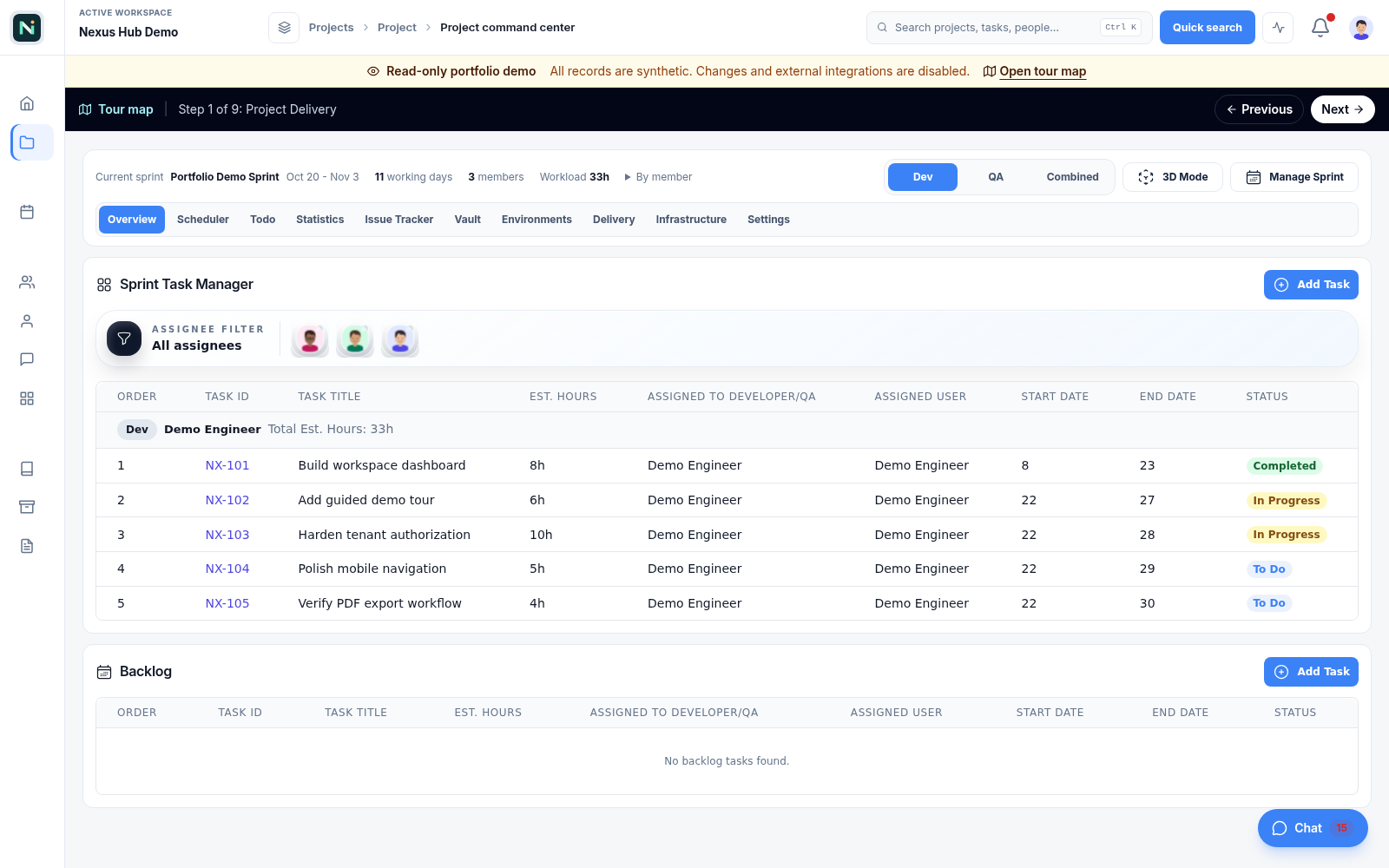
HOW IT FITS YOUR DAY
Sign up, create a workspace, invite your team and create a first project. Existing permissions determine what each member can view and change.
Review daily tasks, plan sprint work, discuss decisions in chat and keep useful explanations in Knowledge. Explore the feature pages for the individual workflows.
The interactive demo is read-only and uses synthetic examples. It is a separate experience from this public overview; opening this page does not create a session or modify a workspace.
Try the demo to see the interface or sign up to start your own workspace. Contact support for current plans and availability; this overview does not promise a particular price or service level.
BUILT TO WORK TOGETHER
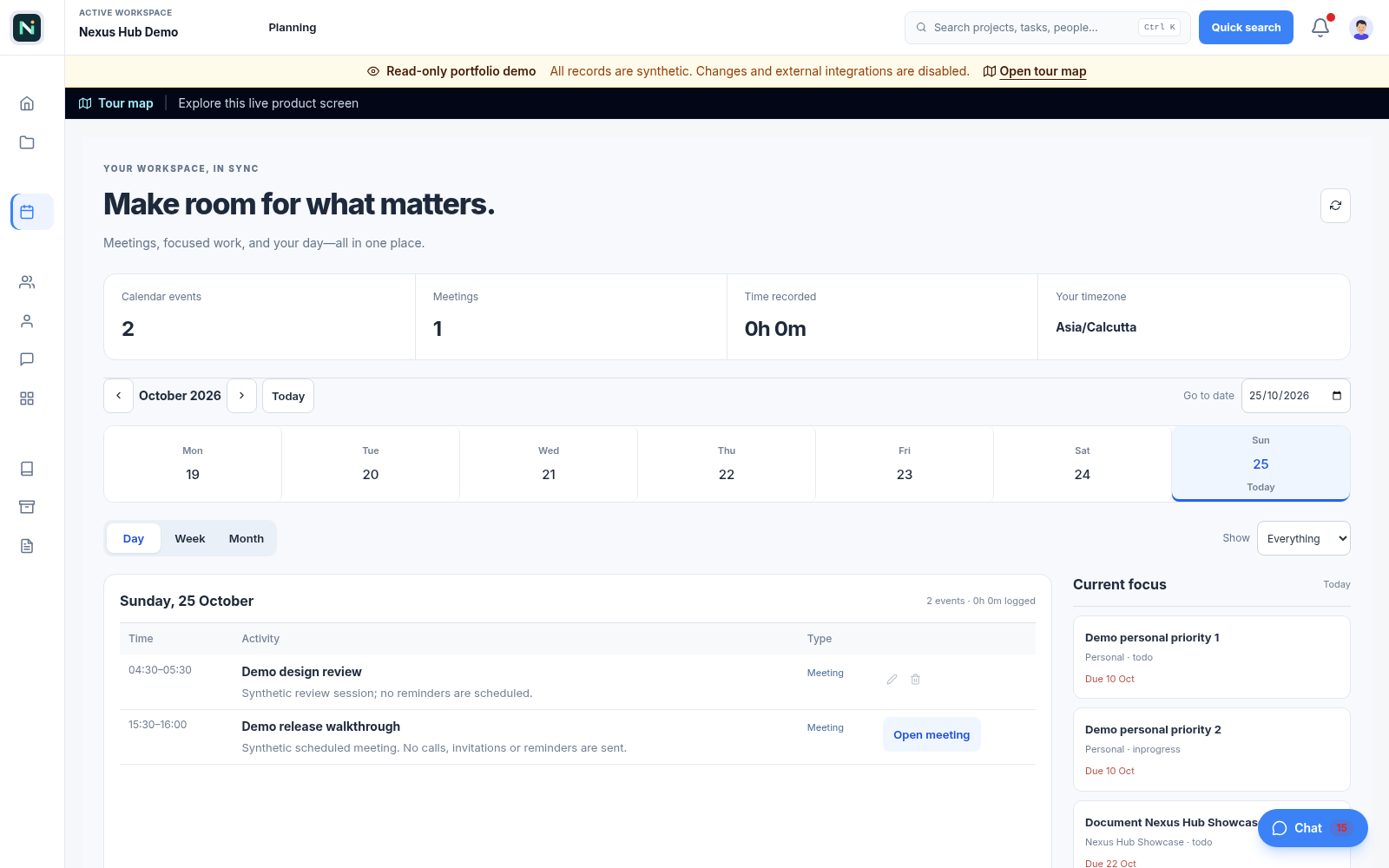
Daily priorities, calendar and focused work.
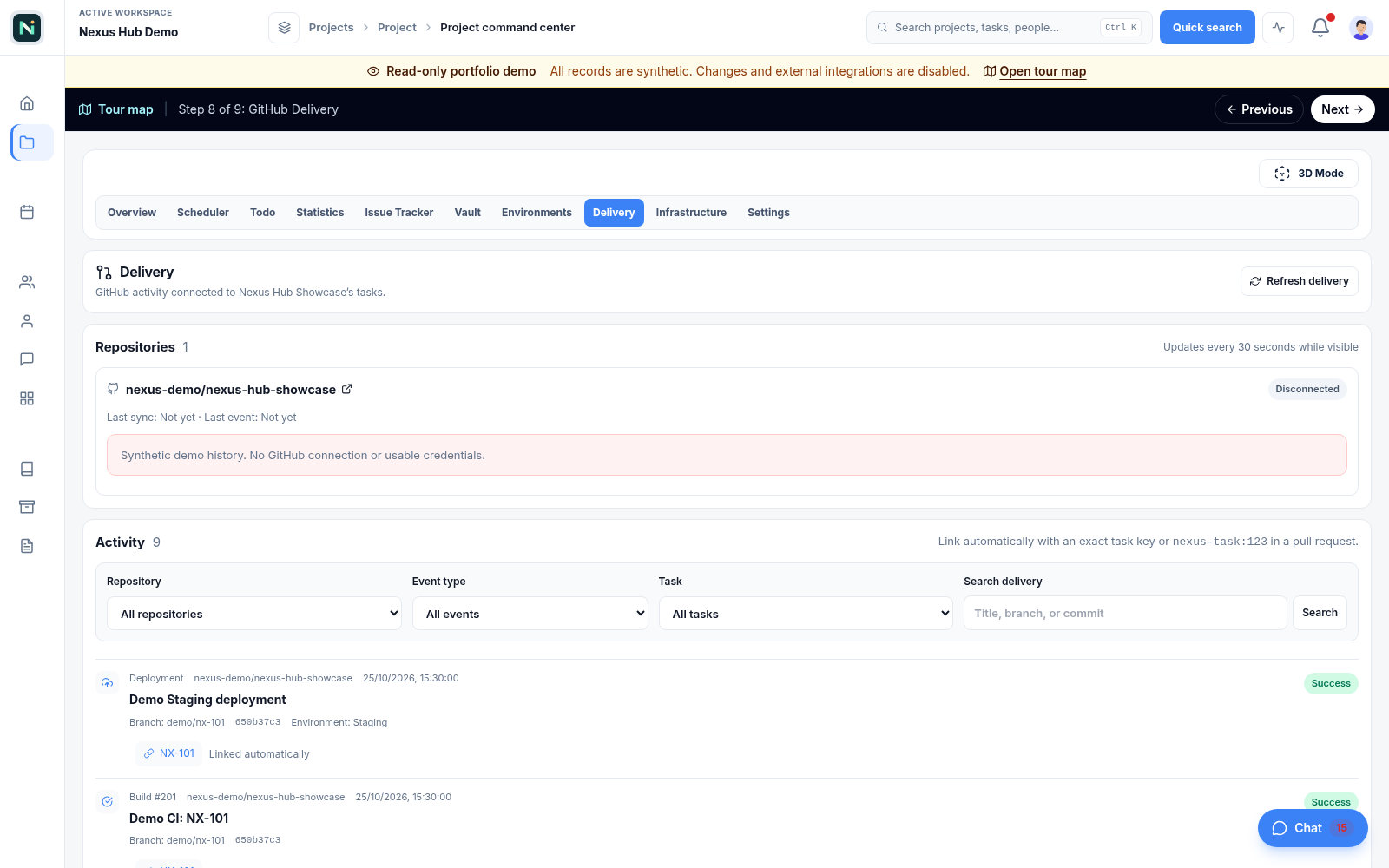
Observed GitHub activity and linked project tasks.
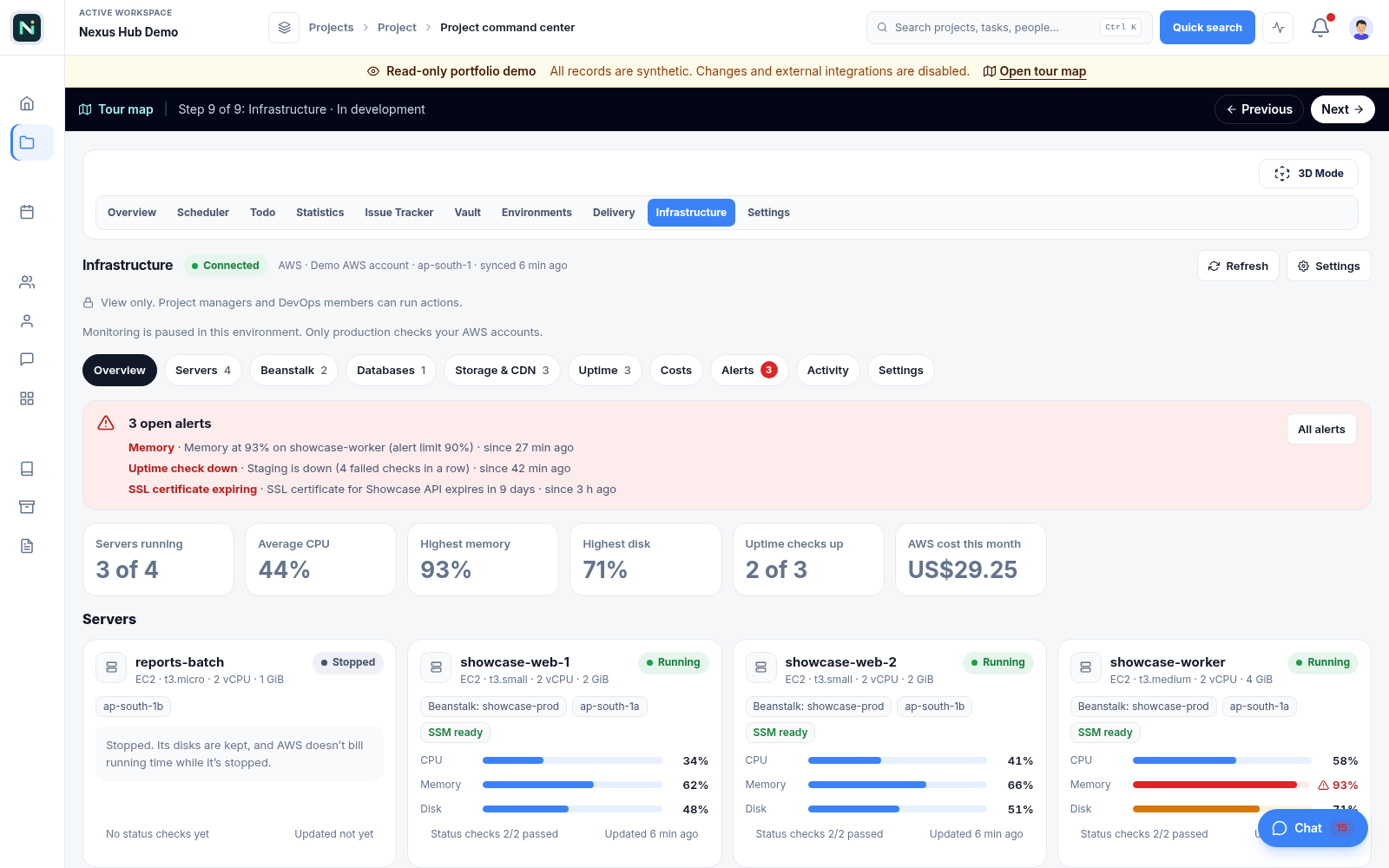
Services, alerts and infrastructure observations.
SEE IT FOR YOURSELF
Explore the read-only demo, then make a workspace of your own.